OpenAI Codex 完整課程 4 小時:構建與發佈
深入 The AI MBA Pro — 每週直播、進階構建和直接訪問,使用 Codex 發佈 ⤵️ https://www.skool.com/the-ai-mba-pro-4940/about 加入 1700+ AI 構建者,致力於賺錢、構建應用和推進職業發展 ⤵️
完整描述
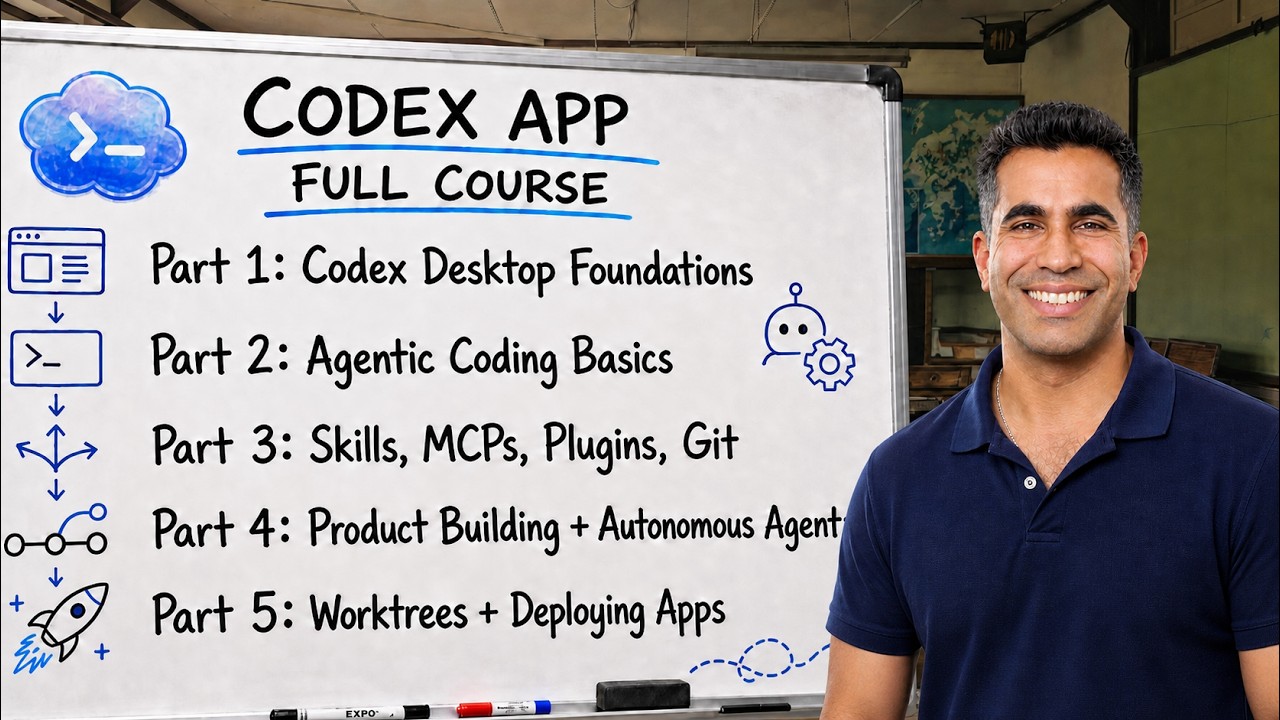
深入 The AI MBA Pro — 每週直播、進階構建和直接訪問,使用 Codex 發佈 ⤵️ https://www.skool.com/the-ai-mba-pro-4940/about 加入 1700+ AI 構建者,致力於賺錢、構建應用和推進職業發展 ⤵️ https://www.skool.com/the-ai-mba 我每天使用 Wispr Flow 來更快地口述和更清楚地思考構建 ⤵️ https://ref.wisprflow.ai/aniket-panjwani 摘要 ⤵️ 這是一門關於使用 OpenAI Codex Desktop 應用的完整實踐課程。我詳細介紹了 Codex 是什麼、定價和安裝、Desktop 界面、上下文窗口、語音工作流、權限、AGENTS.md、插件、電腦使用、技能、MCP、子代理、Git/GitHub、雲委派、GitHub issues、自動化、worktrees,以及使用 Next.js、Convex 和 Vercel 進行的實時 Creator Carousel Studio 構建。 鏈接 🚀 OpenAI Codex 文檔:https://developers.openai.com/codex Codex Desktop 應用文檔:https://developers.openai.com/codex/app Codex 自動化文檔:https://developers.openai.com/codex/app/automations Model Context Protocol 文檔:https://modelcontextprotocol.io/introduction GitHub Issues 文檔:https://docs.github.com/en/issues/tracking-your-work-with-issues/about-issues GitHub pull requests 文檔:https://docs.github.com/en/pull-requests/collaborating-with-pull-requests/proposing-changes-to-your-work-with-pull-requests/about-pull-requests Next.js:https://nextjs.org Convex:https://www.convex.dev Vercel:https://vercel.com 關注我的其他平台 😈 🕊️ Twitter/X:https://x.com/aniketapanjwani 💼 LinkedIn:https://linkedin.com/in/aniket-a-panjwani 🤙 與我合作:https://contentquant.io 為什麼觀看? 如果這是你的第一次觀看——嗨,我是 Aniket!簡而言之:我在 Zelle 擔任 MLOps 工程師六年,構建金融 AI 模型、自動化和數據管道,幫助消費者避免了數千萬美元的欺詐損失。 現在,我利用我的專業和學術專長(西北大學經濟學博士)幫助企業自動化繁瑣但關鍵的流程,以推動收入和創新。 希望我能幫助你改進業務,進而改進你的生活 🙏 如果你有具體請求,請點贊、訂閱並在評論區留言!謝謝。 0:00 歡迎和課程承諾 2:49 24 章節路線圖 7:25 Codex 究竟是什麼 12:39 定價和安裝 Codex 15:50 Codex Desktop 界面導覽 39:25 上下文窗口和壓縮 44:22 語音模式和更好的提示 47:21 權限、護欄和終端基礎 56:05 AGENTS.md 項目指示 1:01:24 五個實踐基元 1:06:22 插件和插件目錄 1:16:05 電腦使用 1:22:16 技能深入探討 1:48:24 技能 vs MCP 1:58:18 子代理 2:08:47 何時使用哪個工具 2:17:00 Git 和 GitHub 基礎 2:33:25 決定構建什麼 2:56:28 雲委派 3:03:23 GitHub issues 3:07:57 Codex 自動化 3:16:24 Next.js、Convex 和 Vercel 技術棧 3:23:55 Worktrees 和平行倉庫工作 3:27:52 Worktree 環境和引導腳本 3:33:19 構建 Creator Carousel Studio 3:44:57 讓 Codex 推動下一個 issues 3:59:58 課程總結和後續步驟
章節
- 0:00 Welcome and course promise
- 2:49 The 24-section roadmap
- 7:25 What Codex actually is
- 12:39 Pricing and installing Codex
- 15:50 Codex Desktop interface tour
- 39:25 Context windows and compaction
- 44:22 Voice mode and better prompts
- 47:21 Permissions, guardrails, and terminal basics
- 56:05 AGENTS.md project instructions
- 61:24 The five practical primitives
- 66:22 Plugins and the plugin directory
- 76:05 Computer use
- 82:16 Skills deep dive
- 108:24 Skills vs MCPs
- 118:18 Subagents
- 128:47 When to use which tool
- 137:00 Git and GitHub basics
- 153:25 Deciding what to build
- 176:28 Cloud delegation
- 183:23 GitHub issues
- 187:57 Codex automations
- 196:24 Next.js, Convex, and Vercel stack
- 203:55 Worktrees and parallel repo work
- 207:52 Worktree environments and bootstrap scripts
- 213:19 Building Creator Carousel Studio
- 224:57 Letting Codex drive the next issues
- 239:58 Course wrap-up and next steps